
Key CRM Handoff Issues After Sales Team Growth

Learn how rapid sales growth creates CRM handoff issues and how leaders can optimize workflows, reduce manual delays, and improve revenue operations.
Executive Summary
Rapid sales growth can expose CRM processes that were designed for a smaller organization. As new representatives, territories, managers, and systems are added, simple handoffs can become dependent on manual updates, inconsistent data entry, and unclear ownership.
For revenue operations leaders, CRM process optimization means improving how data, ownership, and actions move through the CRM so sales workflows remain consistent as the organization scales.
Direct Answer: Manual CRM processes slow revenue operations when teams repeatedly assign records, update fields, transfer data, request approvals, or correct information by hand. After rapid hiring, unclear ownership, inconsistent processes, disconnected systems, and outdated automation can create sales workflow breakdowns. Leaders should diagnose these handoffs first, standardize the workflow, and then automate repeatable activities.
Why Do CRM Workflows Break After Rapid Hiring?
A CRM workflow that supports a small sales team may become difficult to manage after significant hiring.
More representatives mean more records, territories, permissions, managers, and handoffs. Processes that previously relied on direct communication can become unreliable at higher volumes.
Common warning signs include:
- Leads waiting for assignment
- Opportunities with incorrect owners
- Repeated manual data entry
- Missing required fields
- Delayed approvals
- Different processes across sales teams
- Conflicting pipeline information
Key Takeaway: Rapid hiring does not necessarily create CRM problems. It often exposes processes that were already too dependent on manual coordination.
1. Are Lead and Account Handoffs Clearly Defined?
Every CRM handoff should answer three questions: Who owns the record? What triggers the handoff? What happens next?
Without clear rules, leads can remain unassigned, opportunities may move forward without required information, and follow-up can depend on individual judgment.
Revenue operations teams should map the major handoffs across the customer journey.
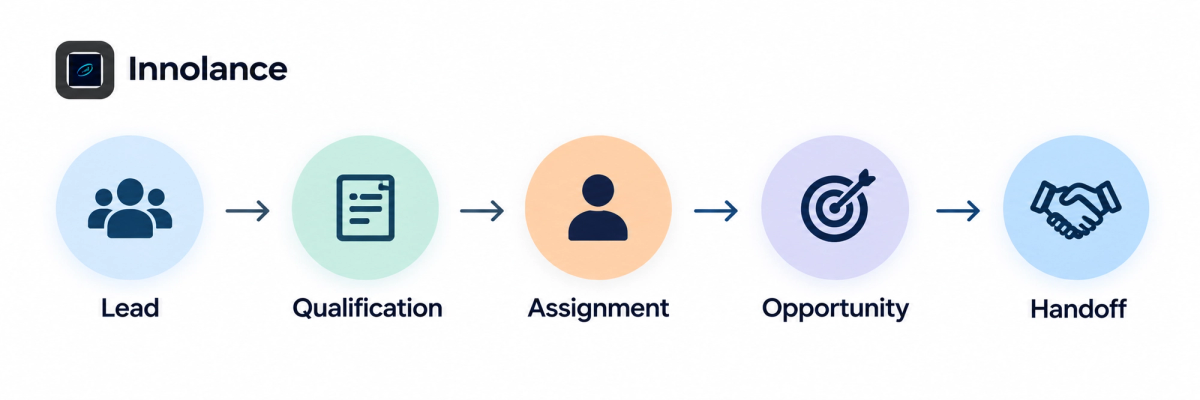
Practical Tip: Select several recently delayed opportunities and trace their CRM history. Identify where ownership, information, or the next required action became unclear.
2. Are Manual CRM Processes Creating Delays?
Not every manual step is inefficient. Problems occur when high-volume, repetitive activities depend on employees remembering to complete them correctly every time.
Examples include manually assigning leads, updating lifecycle stages, copying information between systems, notifying managers, creating follow-up tasks, and requesting approvals.
As sales volume increases, these activities can create delays and inconsistencies.
For better revenue operations efficiency, leaders should separate activities requiring human judgment from repetitive actions that are candidates for sales process automation.
Key Takeaway: Automate repeatable rules, not unclear processes.
3. Are New Sales Reps Following the Same CRM Workflow?
Rapid hiring can introduce workflow variation quickly.
Experienced representatives may understand unwritten CRM expectations, while new employees depend on onboarding materials, field definitions, and system prompts. Without standardized guidance, representatives may interpret qualification criteria, opportunity stages, required fields, and next steps differently.
Leaders should review whether teams consistently understand:
- Qualification criteria
- Required CRM fields
- Opportunity stages
- Ownership rules
- Handoff requirements
Standardizing these expectations creates a stronger foundation for CRM scalability.
4. Are CRM Ownership Rules Keeping Up With Growth?
New territories, teams, managers, and organizational changes can make existing ownership rules outdated.
Revenue operations leaders should determine who owns leads, accounts, opportunities, approvals, and data corrections at each stage.
Clear ownership is especially important when marketing, sales development, account executives, sales operations, and customer success participate in the same customer journey.
When ownership is unclear, records can stall because each team assumes someone else is responsible for the next action.
5. Are Disconnected Systems Breaking the Sales Workflow?
CRM workflows rarely operate in isolation.
Marketing automation, enrichment platforms, sales engagement tools, customer success systems, and analytics platforms may all exchange information with the CRM.
As the technology stack grows, integration problems can result in duplicate records, synchronization delays, missing fields, or conflicting updates.
Leaders should trace critical information across the complete workflow:
System → Data → Ownership → Action → Outcome
This helps determine whether a breakdown originates in the CRM itself, an integration, a data rule, or the underlying business process.
6. Which CRM Processes Should Be Automated First?
Automation should prioritize high-volume, repeatable handoffs where both the trigger and expected action are already understood.
Potential candidates include lead routing, ownership updates, field validation, task creation, notifications, approval routing, and lifecycle-stage updates.
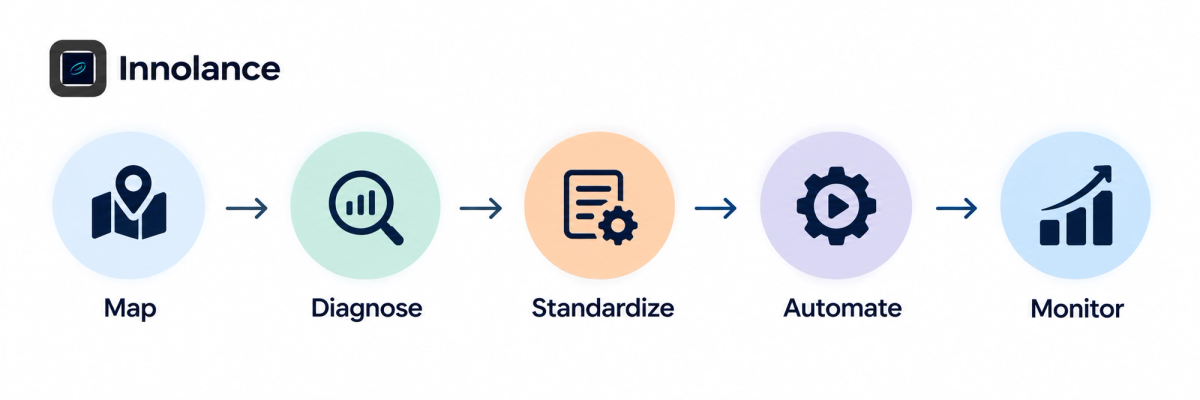
The objective is not to automate every CRM activity. It is to remove recurring manual friction while preserving human judgment where it adds value.
What Should Revenue Operations Leaders Measure?
CRM process optimization should create measurable operational improvements.
Leaders can monitor indicators such as:
- Lead assignment time
- Handoff completion time
- Records missing required fields
- Manual corrections
- Approval turnaround time
- Duplicate records
- Workflow failure rates
Tracking these indicators before and after process changes can help determine whether improvements are actually reducing delays.
What Should Leaders Do Next?
Start with one high-friction CRM workflow instead of redesigning the entire system.
Map every step from the initial trigger through completion. Identify where ownership changes, where employees manually transfer information, where another system becomes involved, and where records frequently stop moving.
Then classify each issue as a process, data, ownership, integration, or automation problem.
Innolance helps growing organizations examine CRM workflows and identify where operational complexity is creating unnecessary friction. This diagnostic approach can help teams prioritize improvements before adding more automation.
Conclusion
Rapid sales growth can expose CRM workflows that were built for a smaller organization.
Manual updates, unclear handoffs, inconsistent processes, outdated ownership rules, and disconnected systems can gradually reduce revenue operations efficiency.
Effective CRM process optimization starts by understanding where workflows break and why. By clarifying handoffs, standardizing processes, establishing ownership, and selectively automating well-defined activities, revenue operations leaders can build CRM workflows that scale more reliably with sales growth.